
Assess an existing product
Establish a baseline across key pages, templates and user journeys. Use the findings to track where users encounter barriers and measure progress as your team makes improvements.
ACCESSIBILITY AUDITS
Understand how accessible your digital product is—and give your team a clear, evidence-based way forward.
AccessTekIT provides accessibility audits for websites, mobile applications, and digital documents for organizations across Canada. We connect documented accessibility findings to their impact on users and the relevant WCAG criteria, with practical recommendations to help your team prioritize fixes.
WHEN AN AUDIT HELPS
Establish a baseline across key pages, templates and user journeys. Use the findings to track where users encounter barriers and measure progress as your team makes improvements.
Gather evidence before a release, redesign or customer accessibility review. See which barriers could affect the decision and what your team can address before the deadline.
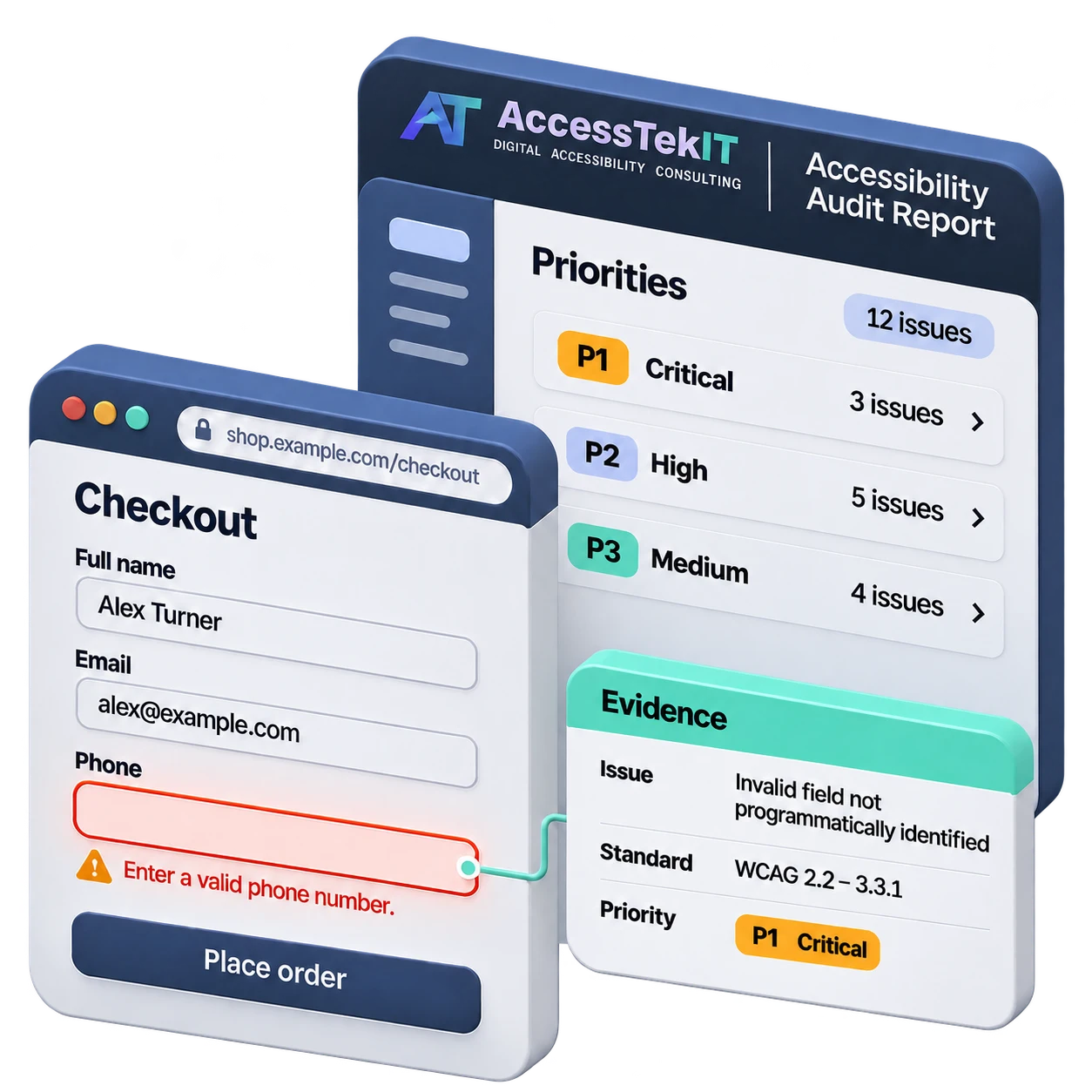
Identify the barriers that affect important tasks. Give your team enough evidence to reproduce each issue, understand its impact and decide which corrections to tackle first.
SCOPE & COVERAGE
Before work begins, we agree the product version, evaluation sample, accessibility standard and target conformance level, testing environments and deliverables.
Representative page types, reusable components and complete tasks, such as navigation, search, registration or submitting a form.
Agreed screens and task flows, including navigation, controls, forms and assistive-technology interaction on the selected platforms.
Agreed document formats and samples, including structure, reading order, text alternatives, links and form fields where applicable.
Coverage is defined in the proposal. A sample-based assessment records what was evaluated and its limitations; it does not mean every page, state or document has been tested.
HOW WE EVALUATE
We combine appropriate automated checks with manual evaluation of the agreed scope. Reviews can include keyboard operation, focus, screen-reader interaction, forms and errors, content structure, colour contrast, zoom and reflow.
Browser, device and assistive-technology combinations are agreed for the engagement. Findings identify the relevant accessibility criteria and describe the experience that needs to improve.
WHAT YOU RECEIVE
You receive a record of the agreed scope and evaluation coverage, reproducible findings and their impact on users, and priorities for practical next steps.
Report format, timelines, responsibilities and any retest rounds are confirmed in the proposal.
WORKING TOGETHER
Share the product, key user tasks, requirements and deadlines. Together we agree what to evaluate and which environments to use.
We evaluate the agreed sample and capture evidence of barriers. Each finding includes steps your team can follow to reproduce it.
We review the findings and explain the priorities. Your team can ask questions, assign owners and plan the work.
If retesting is included, we check the agreed fixes. We record which issues were resolved and which still need attention.
An audit can provide evaluation evidence for customer reviews and conformance reporting. If you need an Accessibility Conformance Report (ACR) using a VPAT® template, we agree that reporting deliverable separately.
COMMON QUESTIONS
We agree on the applicable criteria and target level before testing. Depending on the product and your requirements, that may be WCAG 2.2 or WCAG 2.1 at Level AA.
The report names the benchmark and describes the pages, screens, documents and journeys evaluated. If a procurement request specifies a version or requires separate conformance documentation, share it during scoping so we can account for it in the proposal.
Cost and timing depend on the number of distinct templates, workflows, platforms and documents, as well as how much of the product needs authentication. We agree on a representative sample before estimating the work.
A proposal sets out the evaluation scope, expected reporting date and any retesting. If you have a release or procurement deadline, tell us which journeys are most important so we can discuss a scope that fits.
The audit documents barriers, explains their impact and recommends corrections. Findings include enough context for your team to locate and reproduce the issue.
Implementation support and retesting can be included if agreed. The proposal identifies who will make the changes, which fixes will be retested and how remaining barriers will be recorded.
An audit documents the state of the evaluated product at the time of testing. It records the scope, criteria, testing environments and limitations so readers can interpret the findings correctly.
A sample cannot establish that every page, state or document is accessible, and later releases can introduce new barriers. The report is evidence for improvement planning; it does not certify the product or guarantee legal compliance.
Share the product URL or a short description, the most important user journeys, target platforms and any deadlines. Include the applicable benchmark, procurement request or existing findings if you have them.
For an authenticated product, describe the roles and workflows that need testing. We can agree on a test environment and a secure way to provide access during scoping; there is no need to send passwords with your initial enquiry.
Start with barriers that prevent people from completing essential tasks. When a barrier comes from a shared component, such as a navigation menu or form control, fixing it there can improve several pages at once.
Use the findings to assign an owner and define what a successful fix looks like. Retest the corrected component and the affected user journeys to confirm the barrier is resolved.
PLAN YOUR AUDIT
Explore testing methods, report evidence and the questions to ask before commissioning an audit.
Compare scope, deliverables and follow-up, then prepare a useful quote request.
YOUR NEXT STEP
Bring your product, questions and priorities. We’ll help define a useful audit scope and the evidence your team needs.
Discuss your accessibility audit