
While building a feature
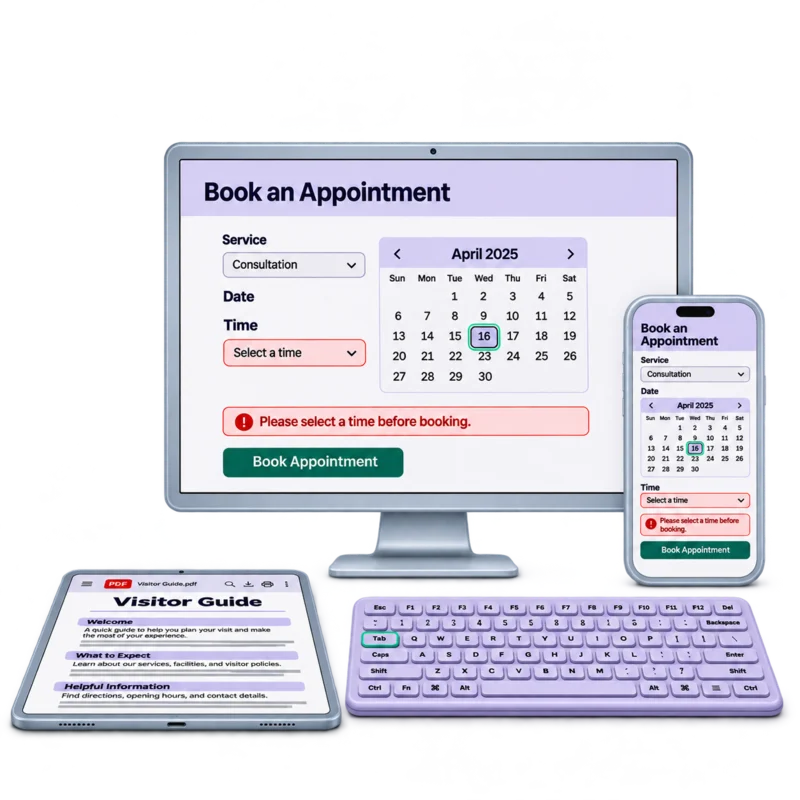
Check a working component or feature while it is still being developed. For a new date picker, that could mean checking keyboard operation, announced instructions and what happens when the date is invalid.
ACCESSIBILITY TESTING
Find out where people encounter barriers as they complete key tasks on your website or app, or when they read your documents and published communications.
AccessTekIT works with product, development and QA teams across Canada to test new features, prepare for releases and verify accessibility fixes.
DEVELOPMENT, RELEASE AND RETESTING
Check a working component or feature while it is still being developed. For a new date picker, that could mean checking keyboard operation, announced instructions and what happens when the date is invalid.
Test the changed parts of a critical journey on a staging or pre-release build. Include tasks and states the release could affect, such as signing in, recovering from an error or confirming a submission.
Repeat the original steps on the updated build. Check the surrounding journey and, where agreed, representative uses of shared components for regressions.
SCOPE AND COVERAGE
We agree on the build, tasks, states, applicable accessibility criteria and test environments with your team. Coverage depends on the product and the decision the testing needs to support.
Review interactions using keyboard navigation, screen readers, browser zoom and reflow as relevant. Follow the task through opening a control, entering information, handling errors and confirming completion.
Use agreed iOS and Android environments to check relevant interactions such as VoiceOver or TalkBack navigation, text scaling, touch targets and how controls communicate their states.
Test agreed Word documents and PDF files for barriers such as missing headings, incorrect reading order, missing text alternatives, and unclear table structure. Check PDF tags and form fields where applicable.
Check representative uses of components such as dialogs, forms and menus. Agree which variations and dependencies to include so your team knows where else it may need to verify a fix.
PUBLISHING AND SHARING CONTENT
Accessibility also matters in the content organizations publish and share every day. We test agreed samples in the formats and channels your audience uses.
Check heading structure, reading order, link wording, text alternatives and contrast in agreed email clients. Review keyboard access to links and buttons, and whether content stays readable when enlarged or viewed on a smaller screen.
Review text alternatives, contrast and link wording. Check whether essential information in a graphic or infographic is also available in the post or accompanying text. Review image descriptions and captions where the platform supports them.
Review captions for accuracy and timing, transcripts for completeness, and whether essential visual information is available through audio description or an appropriate text alternative. Check player controls where they are in scope.
HOW WE TEST
For a new appointment-booking flow, we might check whether someone can choose a date, recover from an unavailable time, confirm the booking and find the confirmation. We check the states and transitions that matter to the task.
We combine manual checks and assistive technologies with automated checks where useful. We record the browser, device, assistive technology and settings needed to reproduce each finding.
TESTING DELIVERABLES
WORKING TOGETHER
Share the build, release date, critical journeys and any previous findings. Confirm test access, accounts and data.
Test the selected tasks and states in the agreed environments. Flag access or build issues that affect coverage.
Walk through the barriers and priorities with the people responsible for the work. Agree how findings will be handed off.
When retesting is included, check the revised build and record the outcomes for the agreed findings and surrounding tasks.
COMMON QUESTIONS
Choose testing for a defined decision about a feature, journey, fix or release. Choose an audit for a structured assessment of an agreed product scope against a defined standard, with a formal findings report. Both can use similar evaluation methods. Explore Accessibility Audits.
Yes. A working prototype or staging build can support focused checks where the interactions are implemented. We identify any states or behaviours the build cannot yet demonstrate so they can be checked later.
Yes. Share the existing findings, their reproduction steps and the updated build. We agree which findings to retest and which nearby behaviours to check. A retest describes the coverage and outcomes for the agreed work.
Focused testing can provide evidence for the features and criteria evaluated. If you need evidence for an Accessibility Conformance Report, the evaluation scope and records should be planned around that reporting need. Explore VPAT® / ACR reporting services.
KNOWLEDGE CENTRE
Plan a focused review, document a finding and repeat the check after a change.
Set up repeatable checks for content and controls.
Choose a mobile task and capture the device settings that affect the result.
YOUR NEXT STEP
Tell us what you’re building, preparing to release, or ready to retest.
Discuss Accessibility Testing